Aniimo Launcher Too Large? Check Display Scaling First
Check Windows display scaling if the Aniimo launcher extends beyond your screen. Aniimo's official FAQ recommends reducing scaling and gives a 1080p example of no more than 125%. That is a documented starting point, not a guarantee for every display or a measured fix from our computer.
In this guide
Sources checked October 8, 2026: Aniimo's official FAQ, PC launch Question 7 and Microsoft's display layout guidance. This guide addresses the Windows launcher window, not a console interface or an in-game graphics setting.
Find the setting that matches the symptom
| What you see or need to check | Relevant Windows control | Why it belongs in the check |
|---|---|---|
| Launcher window extends beyond the display | Display: Scale | This is the setting category identified by Aniimo's FAQ. |
| Only text needs a different size | Accessibility: Text size | Microsoft's text-size control is separate from scaling images and apps. |
| You use more than one display | Select the intended display before changing its layout | Microsoft's instructions start by selecting the target screen. |
| You want to know whether the official example applies | Record current display resolution and scale | The Aniimo example explicitly refers to 1080p. |
| You want a reversible comparison | Write down the original setting | This is our suggested test record, not a game requirement. |
The symptom can guide a setting check; it does not prove that scaling is the only cause. We did not reproduce an oversized launcher, change this computer's display settings, or verify launcher behavior after a change.
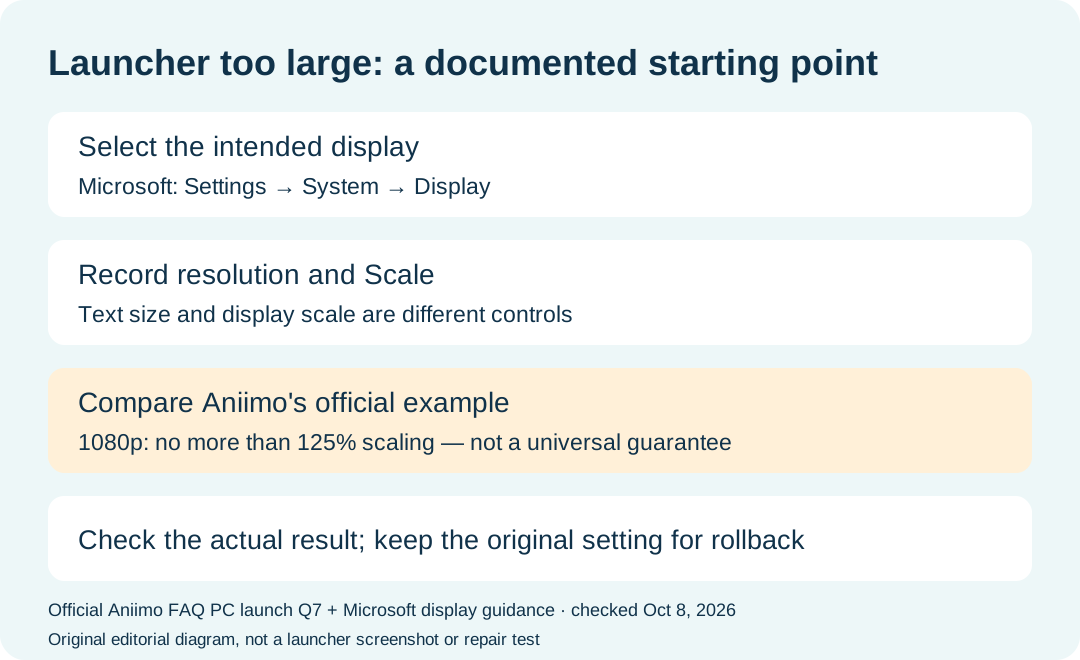
Where is display scaling in Windows 11?
Microsoft documents the route through Settings → System → Display, then Scale & layout → Scale. If external screens are connected, select the screen you intend to adjust first. Microsoft generally recommends the option marked Recommended; Aniimo separately supplies its launcher-specific 1080p example.
Do not turn the example into a rule for every screen. Record both the resolution and percentage before deciding whether you are comparing the same situation described by the game FAQ.
Is Text size the same as Scale?
No. Microsoft's text-size explanation distinguishes a text-only adjustment from a setting that changes images and apps as well. For a whole launcher window that is too large, use the display-scaling category named by Aniimo rather than assuming a text-size change is the same test.
Should I lower the screen resolution instead?
Aniimo's cited answer recommends checking DPI and lowering scaling; it does not prescribe a lower display resolution. Microsoft treats resolution and scale as separate controls. Begin with the setting named in the game FAQ so that a result can be attributed to one change at a time. That test order is editorial guidance, not a verified universal fix.
Does 125% mean this will definitely fix the launcher?
No. The percentage and 1080p context come from the official FAQ, dated September 14, 2026 and reread October 8. We have not established a success rate, a universal limit for other resolutions, or a before-and-after launcher measurement. Use the example as an attributed reference.
What should I record if the window still does not fit?
For a useful comparison, our suggested record is:
- Date, Windows version and the display used for the launcher.
- Display resolution and original Scale setting.
- A screenshot showing which launcher controls are cut off.
- The single setting changed, if any, and its new value.
- Whether the same controls fit afterward; retain the original value for rollback.
This is a diagnostic note template, not an account or gameplay test we performed. If the result remains unresolved, the official FAQ lists [email protected] as its support contact. Describe the observed result rather than claiming that a recommendation has already solved it.
For installation routes and requirements, use our download guide. For the browser streaming route, use the separate cloud gaming guide.