Aniimo Mobile Heat: 60 FPS and Tablet Rendering Scale
For Aniimo mobile heat, the developer suggests lowering graphics quality or rendering scale and choosing the 60 FPS mode according to your device's capabilities. Tablet mode also raises rendering scale automatically. These are separate settings to consider; a selected mode is not proof of the frame rate or temperature your device actually achieves.
In this guide
Checked October 25, 2026 against Aniimo's September 22 mobile FAQ, Mobile Questions 1 and 2 and Apple's iPhone and iPad temperature guidance. We compared published instructions. We did not run the game on a phone or tablet, change its settings, or measure temperature, battery use or FPS.
Does every mobile device support the 60 FPS mode?
The Aniimo FAQ confirms a 60 FPS mode but excludes a small number of lower-end devices. It does not identify a complete device-by-device eligibility list in that answer. Do not infer that a missing option proves a faulty installation, or that a high-refresh display guarantees the option is available.
The developer cautions that the mode may warm the device and recommends choosing it according to device capability. This is a documented option, not a benchmark showing sustained performance on a particular model.
Why can a tablet need a separate graphics check?
The same FAQ says large-screen mode turns on automatically with a higher rendering scale, which requires more processing power. It suggests balancing graphics quality and rendering scale for the device.
That makes the larger-screen setting relevant even when the frame-rate choice looks unchanged. The source does not give a universal scale value or an exact settings-menu path. We cannot supply either as a tested instruction.
What should you compare before changing more settings?
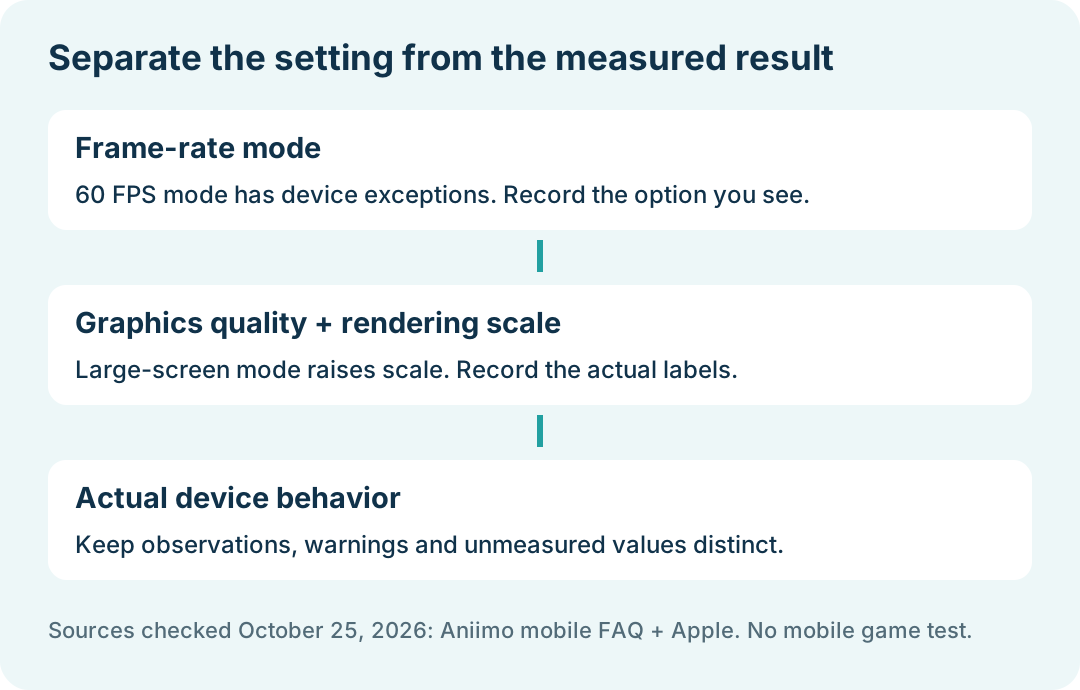
Use this editorial worksheet to keep a setting and its outcome separate. It is not a developer-required test or a performance result.
Swipe or scroll sideways to compare all columns.
| Checkpoint | Record if actually visible | Evidence boundary |
|---|---|---|
| Frame-rate mode | The option present and selected | A target mode is not a measured FPS reading |
| Graphics and rendering | Current quality and scale labels | Do not invent a common preset for every device |
| Device behavior | Observed dimming, stutter or warning, with time | A symptom alone does not identify its cause |
| Comparison | One change completed, then the actual result | No change or improvement should be filled in from expectation |
For an ordinary settings comparison, our suggestion is to record the starting state and change one available control at a time. Do not call a result cooler or faster unless you have an observation that supports it. Leave unmeasured values unknown.
Can iPhone or iPad temperature management affect performance?
Apple says graphics-intensive games can warm an iPhone or iPad. Its general temperature guidance also describes possible dimming and lower frame rates when internal temperature exceeds the normal operating range. These are platform behaviors, not proof that a specific Aniimo session is thermally limited.
If an Apple temperature-warning screen appears, follow Apple's documented route: turn the device off, move it to a cooler place away from direct sunlight, and allow it to cool. That condition is different from continuing an ordinary graphics-setting comparison. This Apple guidance should not be relabeled as an Android-specific procedure.
What can you report without a performance benchmark?
Keep the device model, OS version, game version, displayed graphics options, session time and actual symptom. State whether any setting was changed and whether the same symptom remained. A measured result needs its measurement method; a personal impression should remain labeled as an impression.
The Aniimo notice lists [email protected] for support. We have no tested temperature reduction, battery saving, stable-FPS claim or universal device preset to report. For installation and device compatibility, use the download overview; return to Aniimo platforms for the broader platform guides.