Aniimo Android Incompatible: What Vulkan 1.1 Does and Does Not Prove
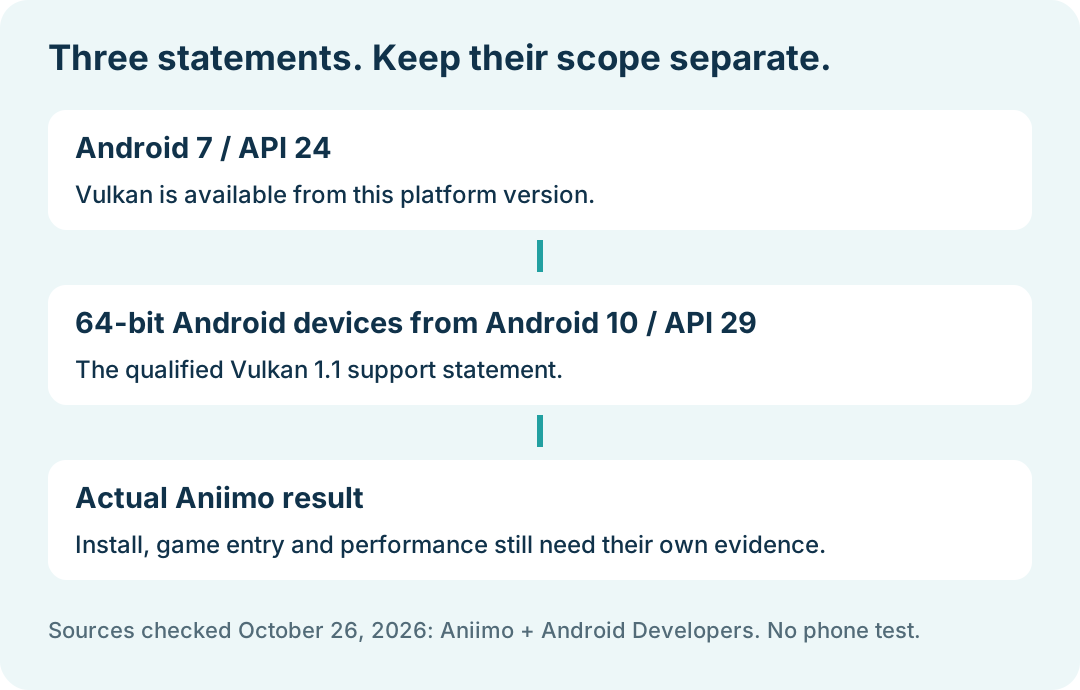
If Aniimo will not install on Android or reports an incompatible device, its mobile FAQ says to check the official installer source and Vulkan 1.1 support. Android version alone is not a complete game-compatibility result. In particular, Vulkan being available from Android 7 does not mean every Android 7 device supports Vulkan 1.1.
In this guide
Checked October 26, 2026 against Aniimo's September 22 mobile FAQ, Mobile Question 4 and Android Developers' Vulkan overview, updated October 8, 2026. This is a comparison of published requirements and their scope, not a phone installation or GPU test.
What does Aniimo ask you to check first?
The game FAQ recommends downloading through official channels and checking whether the phone supports Vulkan 1.1. It identifies older GPUs lacking that support as a possible reason installation or game entry can fail.
That is a documented compatibility condition, not proof that every installation failure has the same cause. Keep the actual store or installer message and the stage where it appears. The download overview links the wider platform setup information.
Does Android 7 mean Vulkan 1.1 is supported?
No such conclusion follows from the developer documentation. It says Vulkan is available from Android 7, API level 24. Its separate Vulkan 1.1 statement applies to all 64-bit Android devices from Android 10, API level 29, and higher. Keep the version and 64-bit qualifiers together.
Swipe or scroll sideways to compare all columns.
| Statement | What the source establishes | What it does not establish |
|---|---|---|
| Vulkan available from Android 7 | Android's API availability starting point | Universal Vulkan 1.1 support on Android 7 devices |
| 64-bit Android devices from Android 10 support Vulkan 1.1 | The qualified platform statement in Android's documentation | A successful Aniimo install or launch on a particular phone |
| Aniimo recommends a Vulkan 1.1 check | A game-specific condition in the mobile FAQ | A complete supported-device list or measured frame rate |
We have not inspected a phone's graphics capability. A device whose relevant information cannot be read should remain unverified in your record, rather than being labeled supported from its marketing name alone.
What should you record for a compatibility question?
Our editorial checklist is the exact device model, installed Android release, official store or installer source, full error message, and whether the failure occurred before installation, during it or when entering the game. Add the source of any Vulkan-support information you can actually verify.
Do not silently replace an unknown graphics capability with a guessed value. We did not run a device probe or validate an individual model. This checklist is a support aid, not a required form supplied by the developer.
Is a compatibility check the same as a performance check?
No. Installation, reaching the game and maintaining a chosen frame rate are separate outcomes. Vulkan support does not supply an observed result for any of them on its own.
If the game already runs and the question is heat, quality or the frame-rate option, use the mobile graphics and heat guide. It covers that different stage. A settings label should not be substituted for a measured performance result.
Are the Android page's ANGLE commands an Aniimo repair?
The Android overview discusses ANGLE as an implementation of OpenGL ES over Vulkan and presents commands for developer testing of OpenGL ES games. It does not present them as an Aniimo compatibility fix. A developer testing section is not evidence that forcing a driver option will solve this game's installation error.
We did not run ADB, force ANGLE, install an alternative APK, replace a graphics driver or confirm a repair. For an unresolved case, the Aniimo notice lists [email protected]; provide the actual stage and message through the official support route. Return to Aniimo platforms for the overview.