Aniimo PC Login Error: Check the Install Path
Aniimo's official FAQ recommends an all-English game installation path when a PC account-login error may be connected to the current directory's characters. It also says to update the game directory in the launcher's settings after moving the game. This is a documented troubleshooting route, not proof that every login error has the same cause.
In this guide
Checked October 9, 2026 against Aniimo's official FAQ, PC launch Questions 8 and 10. We read the public instructions; we did not install or move the game, sign in, or measure a successful repair.
Which situation does the recommendation cover?
| Situation | What the official FAQ says | Boundary of the evidence |
|---|---|---|
| A PC game-account login error and a path containing non-alphabetic characters | Question 8 suggests checking the path and says the system environment may not support Unicode. | A possible condition, not a diagnosis of your computer. |
| Choosing a directory containing Chinese characters | Question 10 recommends against it and mentions possible launch, login and in-game payment issues. | No failure rate is provided. |
| Moving the installed game to an all-English path | Question 8 also directs you to update the game directory in launcher settings. | A move alone does not complete the documented sequence. |
| A different symptom, such as an oversized launcher | Use the separate symptom's instructions. | A directory change is not the FAQ's display-scaling recommendation. |
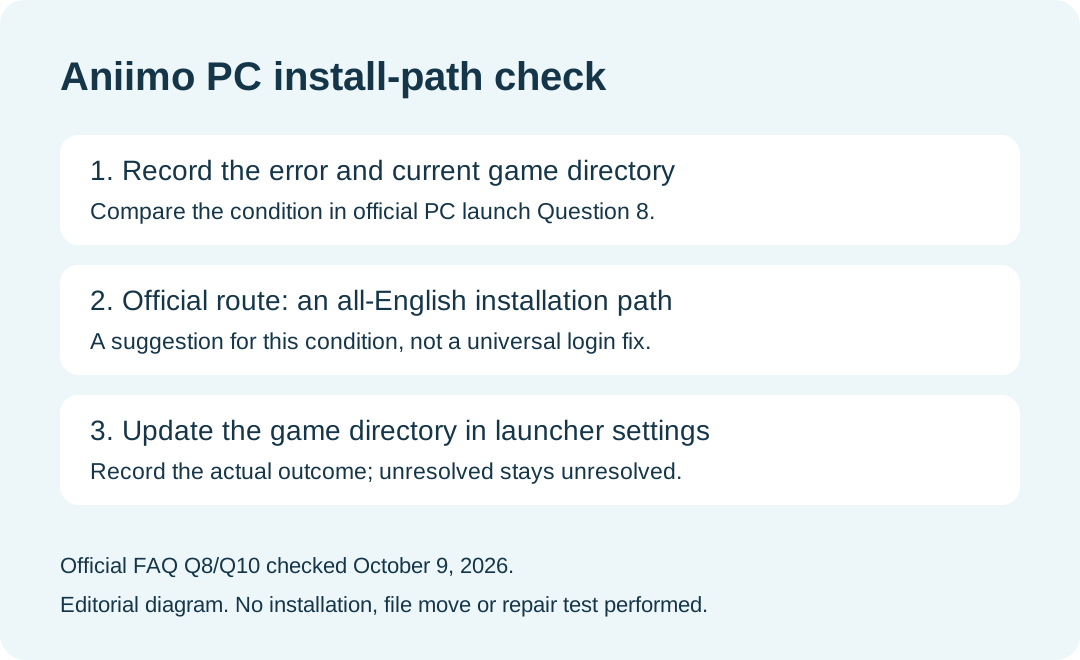
What does the official sequence actually require?
The published sequence is to inspect the installation path, move the game to an all-English path when following this recommendation, and update the launcher's game-directory setting. The FAQ does not provide a detailed file-move procedure or a universal accepted-character list. We do not turn that short answer into instructions to delete an installation, change a Windows user profile, or assume that every symbol is unsupported.
Our suggested comparison record is the date, exact error text, original game path, target path if changed, and the directory shown in launcher settings. Keep a before-and-after record so that support can tell which step was completed. This record template is editorial guidance, not a game requirement.
Does a non-English path prove why login failed?
No. Question 8 uses a conditional explanation about the system environment and Unicode support. Question 10 warns about potential issues. Neither establishes the cause of an individual error or supplies a success probability. An unchanged result should be recorded as unresolved.
Should I change my Windows account name?
The cited answer discusses the game installation path and the game directory in launcher settings. It does not instruct you to rename your Windows account or move your entire user profile. Do not treat those unrelated changes as part of this documented route.
Is this the same as a verification-code or linked-email problem?
No. This page addresses the installation-directory condition in PC launch Question 8. An error explicitly about a linked email or recovering test rewards needs its own account-specific instructions; see our beta reward and account guide. Do not assume that a path change resolves an account-linking restriction.
What should I send support if it remains unresolved?
The official FAQ lists [email protected]. Our suggested note includes the error message, platform, date, directory condition and steps actually completed. Say whether the launcher's directory was updated and whether the error changed. Do not send passwords or verification codes in a troubleshooting report.
For platform installation routes, use the download guide. If the launcher is larger than your screen, use the separate launcher scaling guide.