Aniimo Achievements and Trophies: What Shared Progress Confirms
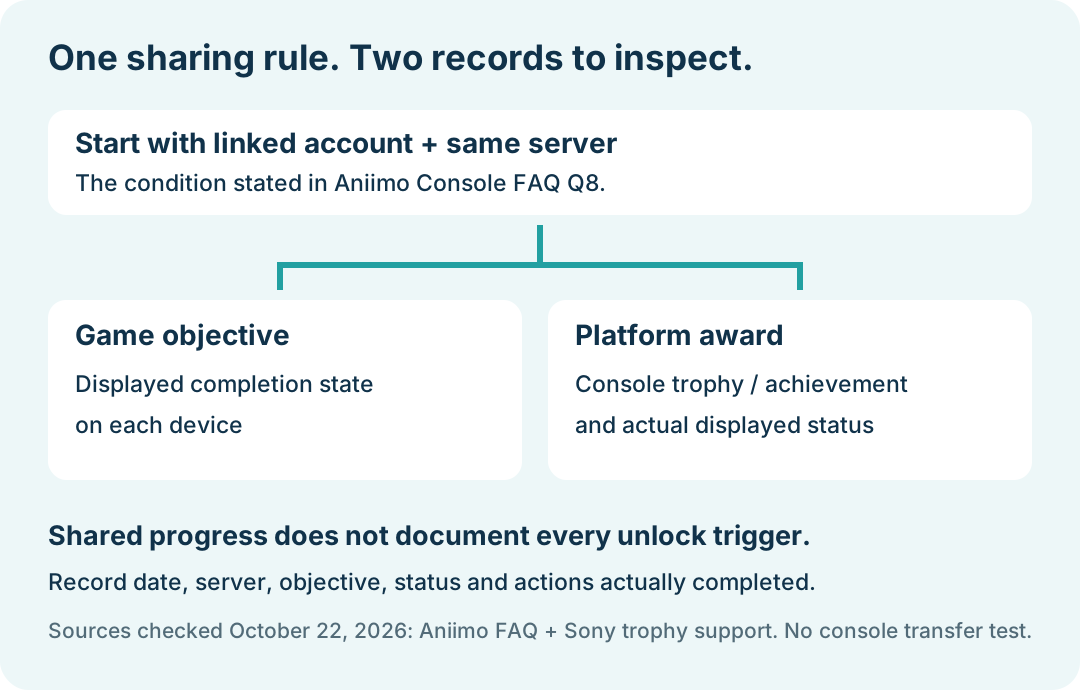
Aniimo's console FAQ says achievement and trophy progress is shared after account linking within the same server. It does not describe whether every PlayStation trophy or Xbox achievement unlocks automatically when you change platforms. Check the game's progress and the console's own achievement record separately.
In this guide
Checked October 22, 2026 against Aniimo's September 14 console FAQ, Question 8 and Sony's trophy viewing and syncing instructions. This is a comparison of published instructions, not a console transfer test.
Does Aniimo have achievements and trophies?
Yes. Console Question 8 confirms a system for them and states the linked-account, same-server sharing condition. Question 5 separately says that server data remains independent. Linking accounts does not make progress cross between servers.
For the existing-character linking prompt and PSN region assignment, use the download and account setup guide. This page focuses on interpreting the achievement statement and checking the separate console record.
Will changing platforms automatically unlock every trophy?
The reviewed FAQ does not give an unlock-by-unlock procedure, timing, or exception list. It therefore cannot settle whether an already completed objective immediately unlocks a corresponding platform award. That is an evidence limit, not a finding that transfer fails.
Keep these records distinct when comparing the result:
Swipe or scroll sideways to compare all columns.
| Record | What to inspect | What it does not establish by itself |
|---|---|---|
| Linked game account and server | The actual account and server used on each platform | A completed platform trophy unlock |
| In-game objective | Its displayed completion state on each device | The console service's recorded award |
| Console achievement or trophy | The platform entry and displayed status | Progress on another server |
This is an editorial comparison worksheet, not a list of results measured on our consoles. Mark an inaccessible field as not checked.
Where do you view Aniimo trophies on PS5?
Sony's general PS5 instructions are: choose your profile picture on the home screen, open Trophies, select the game, then inspect a trophy's details. Find the Aniimo entry if it is present; record the actual title and status shown.
These are console-wide instructions. Their availability does not verify Aniimo-specific automatic unlocking. Sony also documents PS4 on that page; those PS4 instructions are not an Aniimo compatibility claim.
What does Sync Trophies on PS5 do?
For manual syncing, Sony directs PS5 users to their profile picture and Trophies, then the options button and Sync Trophies. Its guide describes syncing trophies with PlayStation Network.
Treat that as a platform synchronization step. It is not the Aniimo account-linking process, a server transfer, or a documented remedy for every missing award. If you perform it, note the time and whether the displayed trophy state changes. We did not run this action on a console.
What should you record if progress looks different?
Write down the platform, check time, server, objective name, in-game state and console award state. Add whether you merely viewed the record or completed a sync, and the result afterward. Keep account identifiers and private screenshots out of public posts.
An example record should say not checked until that step is actually completed. We did not sign into an Aniimo console account, earn an award, transfer progress or confirm an automatic unlock. Return to Aniimo platforms for the overview, or the console pack guide for reward claims, which are a different process.