Aniimo Download Stuck at Zero: Check the Stage Before Retrying
For Aniimo download progress or speed stuck at zero, the official FAQ suggests restarting the PC or reopening Aniimo as administrator, then selecting Update Game again. First record the stage: a paused download, local-file processing and a launcher that never opens are different observations. The FAQ supplies no guaranteed recovery time.
In this guide
- What does the zero-progress instruction apply to?
- Could no downloading mean local work is continuing?
- Does a working installer link prove the launcher can download?
- What if a different symptom appears?
- What should you keep if the retry changes nothing?
- Downloading on a phone instead?
- Is the phone download slow but still progressing?
Checked October 23, 2026 against Aniimo's September 14 PC and console FAQ, Client download Question 4 and Client installation Question 5. Our additional check below inspected the official installer's HTTP response headers. We did not download, install or run it, or reproduce a stalled game download.
What does the zero-progress instruction apply to?
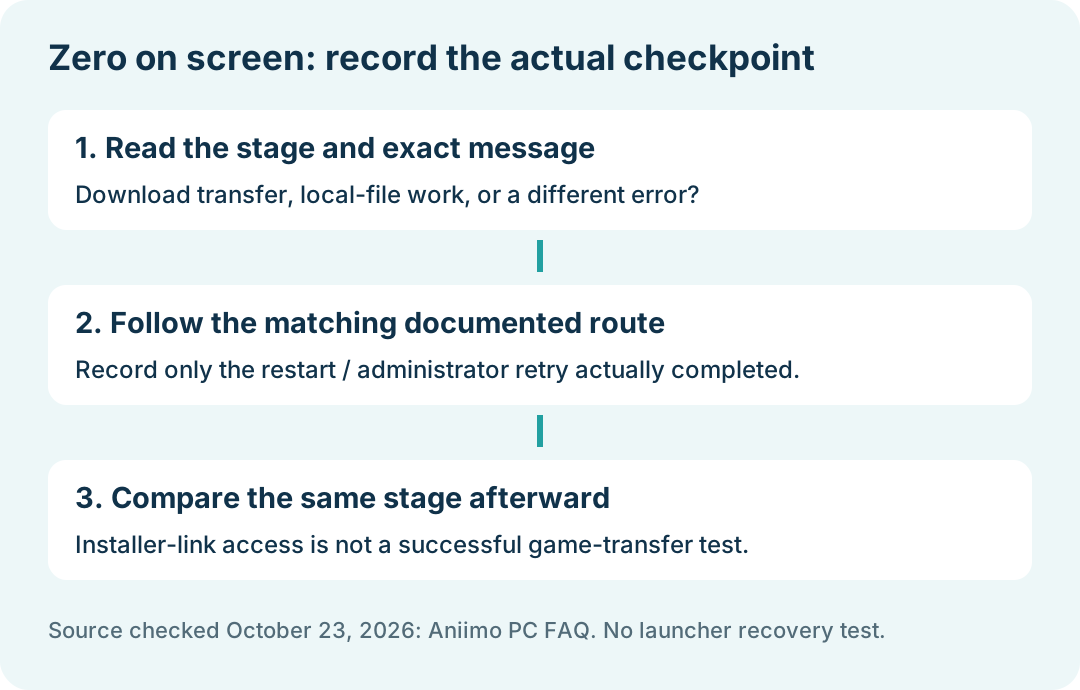
The cited download answer covers progress or speed showing zero, as well as a transfer that stops at another point. Its published retry route is to restart the computer, or right-click Aniimo, choose Run as administrator, approve the Windows prompt, and reopen the launcher; then choose Update Game.
That is attributed guidance, not a diagnosis that every zero reading is a permissions problem. Record the launcher's exact label and any error before retrying. If you complete a step, compare the same visible download stage afterward. A reopened window alone does not establish resumed transfer.
Could no downloading mean local work is continuing?
Yes. The installation answer says the updater can process local files while the progress display pauses. It also says downloaded files can be processed again after an interrupted update. A zero speed reading by itself therefore does not establish a failed connection.
If the visible percentage is specifically 94%, use the resource-verification guide. It covers that named stage; this page addresses the earlier zero-transfer symptom. Neither source gives us a normal waiting interval or a tested remaining time.
Does a working installer link prove the launcher can download?
No. They are separate checkpoints. Here is the limited request we actually completed, with the date in Asia/Shanghai time:
Swipe or scroll sideways to compare all columns.
| Checkpoint | Observed on October 23, 2026 | Stop point |
|---|---|---|
| Official FAQ | The page supplied a PC launcher download link | Published page and link read |
| Linked installer endpoint | HTTP HEAD returned status 200 at 09:00:30 | Response headers only; no file body fetched |
| Launcher game transfer | Not checked | No launcher session or speed measurement |
| Successful installation or game launch | Not checked | No installer execution or game test |
The linked address was aniimo-global.exe on the CDN named by the official FAQ. HEAD asks for response metadata; a successful reply to that request does not measure a full download or validate an executable. This dated check is not an outage certificate for every network or a repair result for another computer.
What if a different symptom appears?
Match the message instead of applying one retry to every failure:
- Launcher never opens: use the launcher no-response guide.
- An explicit network error: use the launcher network-error guide.
- An explicit space error: check the relevant installation drive with the disk-space guide.
These links separate existing troubleshooting intents. They do not establish the cause of a zero-progress display that has no accompanying error.
What should you keep if the retry changes nothing?
Our suggested comparison note is the check time and timezone, launcher stage, percentage or displayed speed, exact message, action actually completed, and the result at the same stage afterward. Leave unmeasured fields unknown. If it stays at zero, record it as unresolved rather than calling the retry successful.
For an unresolved case, the FAQ lists [email protected] as official support. Send relevant details privately; the worksheet here is an editorial aid, not a required official form. We have no transfer-speed benchmark or demonstrated game-download fix to report. Return to Aniimo platforms or the download overview for the platform entry points.
Downloading on a phone instead?
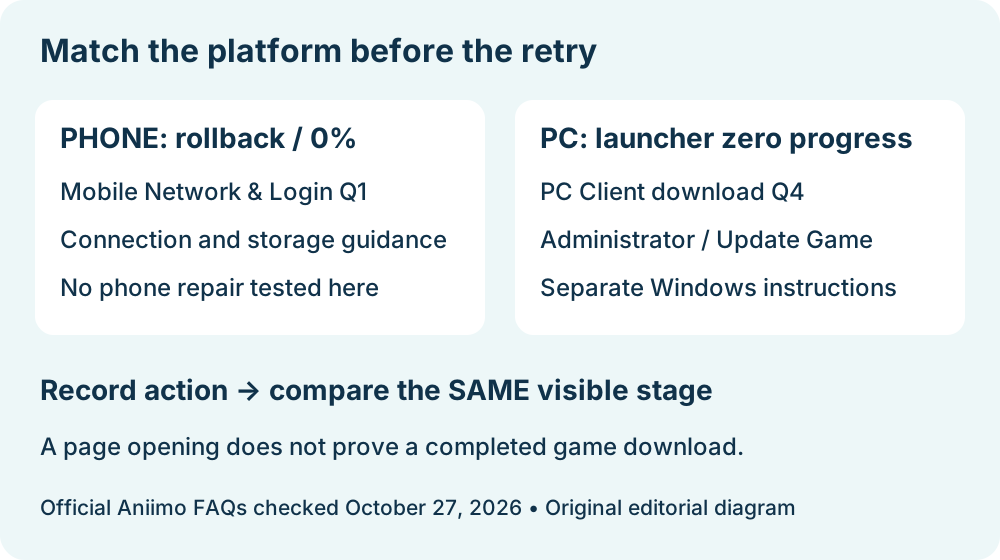
The Windows launcher steps above do not describe the mobile client. Use the mobile download rollback and zero-progress guide for the separate phone FAQ and a result worksheet.
Is the phone download slow but still progressing?
For an indicator that changes between observations, see the slow mobile download guide. This page covers a stalled PC download and its Windows launcher route.