Aniimo Mobile Disconnects: Check Wi-Fi, Signal and Server Region
For repeated Aniimo disconnections, latency spikes or packet loss on mobile, the official FAQ points to Wi-Fi interference, competing network use, movement on mobile data and server region. Those are checks to compare with what you observe, not proof that any one is causing your problem. A PC launcher network error and a dated maintenance notice describe different stages.
In this guide
Checked October 28, 2026 against Aniimo's September 22 mobile FAQ, Network & Login Question 3 and Apple's September 14, 2026 Connectivity Assist guide. We did not measure latency, packet loss, a phone or the game connection.
First separate in-game disconnections from other network symptoms
Swipe or scroll sideways to compare all columns.
| What you see | Relevant guide | What it establishes |
|---|---|---|
| Aniimo disconnects or loses packets after mobile gameplay starts | This mobile connection guide | A way to organize the official mobile checks |
| A PC launcher displays a network error before the game opens | PC launcher network-error guide | A separate PC startup stage |
| An old maintenance window or recovery notice | Server maintenance guide | Historical dates, not live outage status |
| A phone download stalls before gameplay | Mobile download rollback guide | Download progress, not in-game connection quality |
What network conditions does Aniimo name?
The mobile FAQ says 2.4 GHz Wi-Fi is more prone to interference and suggests 5 GHz where available. It also asks players to check whether another device is downloading or livestreaming, whether movement on mobile data coincides with signal drops, and whether the selected server is in the player's region. These are the developer's general checks. This guide contains no matching measurements from a particular device, household or server.
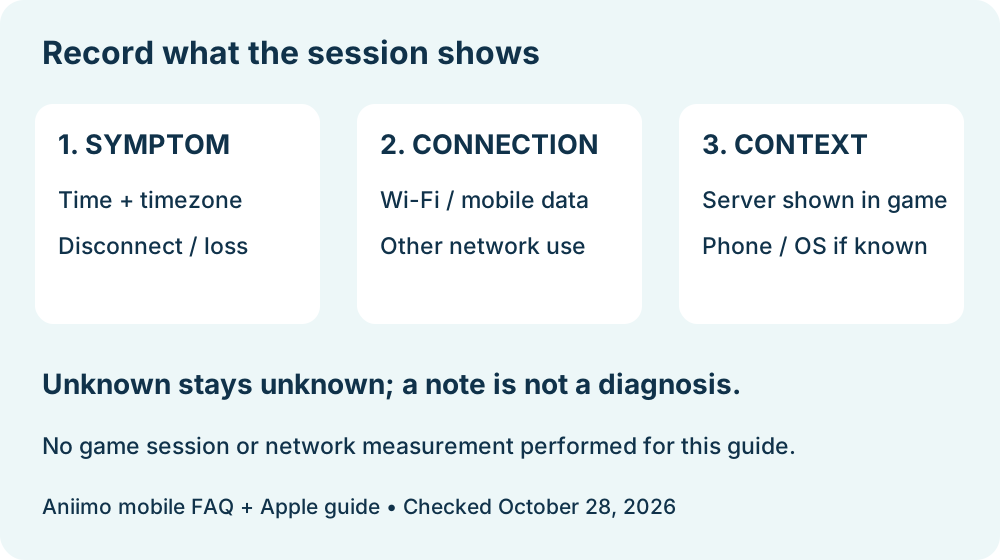
Keep the time, platform, selected server, connection type and visible symptom together in a private note. Compare one observation at a time. A Wi-Fi connection that works for a webpage does not verify that an active game session has stable latency or no packet loss.
What should an iPhone user know about Wi-Fi Assist?
The Aniimo FAQ names Wi-Fi Assist as a setting to check. Apple's current guidance says Connectivity Assist replaces the older Wi-Fi Assist control and appears under Wi-Fi settings. Apple says it can use cellular data when Wi-Fi is slow or unusable; the guide also warns that it may use more cellular data.
We did not change this setting or test an Aniimo session. Read the current iOS label on the device before recording it; do not assume an older menu name is still present. Changing cellular behavior can affect data use, and a setting description alone cannot establish the cause of a disconnection.
Can the server region explain a latency change?
Aniimo's FAQ says connecting from another region adds latency and recommends the player's own region. Record the server name actually selected and the time of the session. Do not infer the server from language, storefront currency, account email or a location estimate.
We did not log into a game or inspect a private account. A region suggestion is not a measured latency result, and it does not confirm that changing servers would be safe for an existing character. Aniimo's FAQ says progress on different servers is independent; check the account and character implications before making any in-game change.
What evidence belongs in a support report?
Keep a short record of date and timezone, phone model and OS version if known, the server shown in game, Wi-Fi or mobile data, the exact disconnect or error, and whether another device was actively using the connection. Mark anything you did not check as unknown. Avoid posting account credentials, verification codes or private network details publicly.
The mobile notice lists [email protected] for help. This record is our editorial aid, not an official required diagnostic form. We did not perform a repair, switch network settings, test an alternate server or establish a current Aniimo outage. Return to Aniimo platforms for the platform guides.