Aniimo White Screen Before the Logo: Check the Linked Download
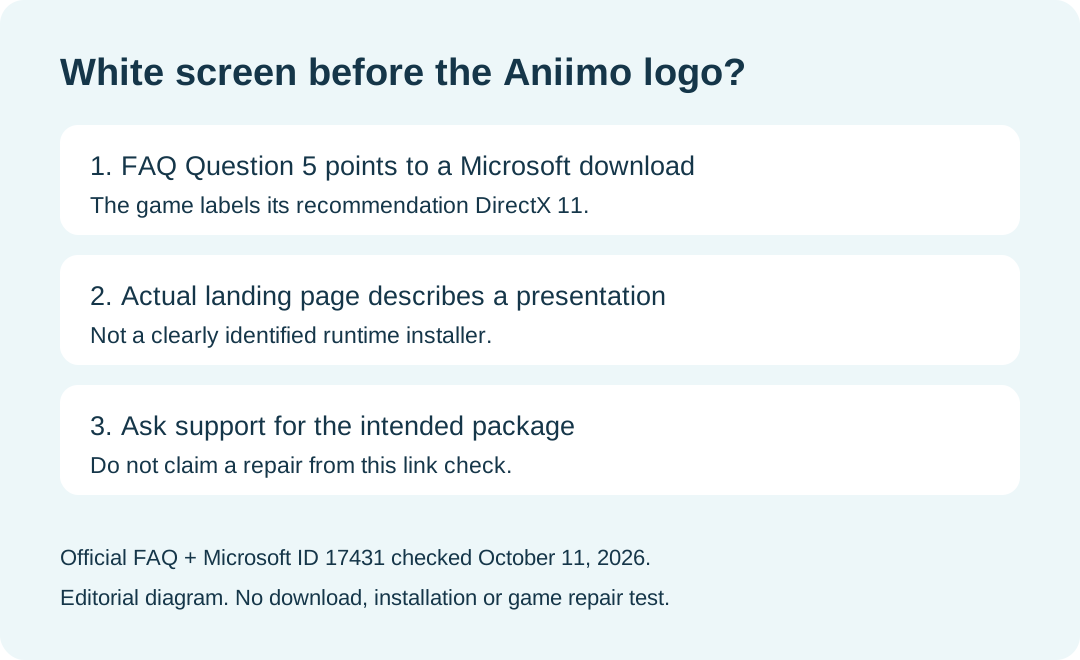
If Aniimo opens to a white screen before its logo appears, the official FAQ suggests DirectX 11—but the Microsoft link in that answer currently leads to a presentation download, not a clearly identified runtime installer. Check the actual destination before treating it as a repair package. Our October 11, 2026 browser check found this mismatch; we did not install anything or verify a game repair.
In this guide
This page covers the white-screen-before-logo symptom in Aniimo's official FAQ, PC launch Question 5. It is separate from a black screen after updating an old version.
What the two official pages actually show
Swipe or scroll sideways to compare all columns.
| Checkpoint | Observed October 11, 2026 | What it establishes |
|---|---|---|
| Aniimo FAQ, PC launch Question 5 | Recommends DirectX 11 and links Microsoft download ID 17431 | This is the game's published recommendation and destination. |
| Linked Microsoft page | Titled DirectX 11 Technology Update; described as a Gamefest presentation | The destination is presentation material. |
| File listed by Microsoft | DirectX_11_Technology_Update_US.zip | The listed file is not identified there as a game runtime installer. |
| Microsoft's installation description | Describes a PowerPoint presentation and WMA audio | Do not infer an Aniimo runtime repair from the word Download. |
| Our stopping point | Read both pages and inspected the displayed download target | No file downloaded, executed or installed; no successful fix measured. |
The destination we checked is Microsoft download ID 17431. The link itself opens. The problem is what that page describes, rather than a claim that Microsoft is unreachable.
Does the FAQ prove that DirectX caused the white screen?
No. It supplies a recommendation for a named symptom. We have not reproduced the symptom, inspected a failing installation or established its cause. The linked page also does not establish that its presentation package repairs Aniimo.
Should I install the ZIP from that link?
Our recommendation is to stop at this mismatch and ask game support to identify the intended package. We are not presenting a substitute installer as though it were the one Aniimo linked. A file's official host does not make its purpose identical to the game FAQ's label.
This conclusion comes from comparing the visible descriptions on the two pages, not from downloading and inspecting the archive's contents.
Is this the same as a startup black screen?
The official FAQ treats them as separate questions. Question 5 describes no logo and a white screen. Question 9 describes a black screen after an old-version update and Start Game. Use the matching startup black-screen guide for that second trigger; do not transfer its repair sequence to a different symptom without evidence.
What should I ask support?
The official FAQ lists [email protected]. Our suggested message is: the logo does not appear, the screen stays white, and PC launch Question 5 links a Microsoft page describing a presentation. Ask for the current intended runtime-package link and applicable instructions.
Include the date, platform, game version if known, and a screenshot of the symptom. Mark unknown details unknown. That is an editorial report template; we have not sent a support message or received a corrected link.
For installation routes and requirements, see the download guide. A window that is simply too large has a separate launcher scaling guide.